DocDoc: AI Document Scanner, PDF Tools & Drafter
All-in-One Document Scanner, Studio & Application Drafter • 100% Free & No Watermarks
About this app
DocDoc is an all-in-one mobile document workstation built for professionals, students, and businesses. Turn your Android smartphone into a high-precision document scanner, PDF editing suite, and formal application drafter—running 100% privately on your device.
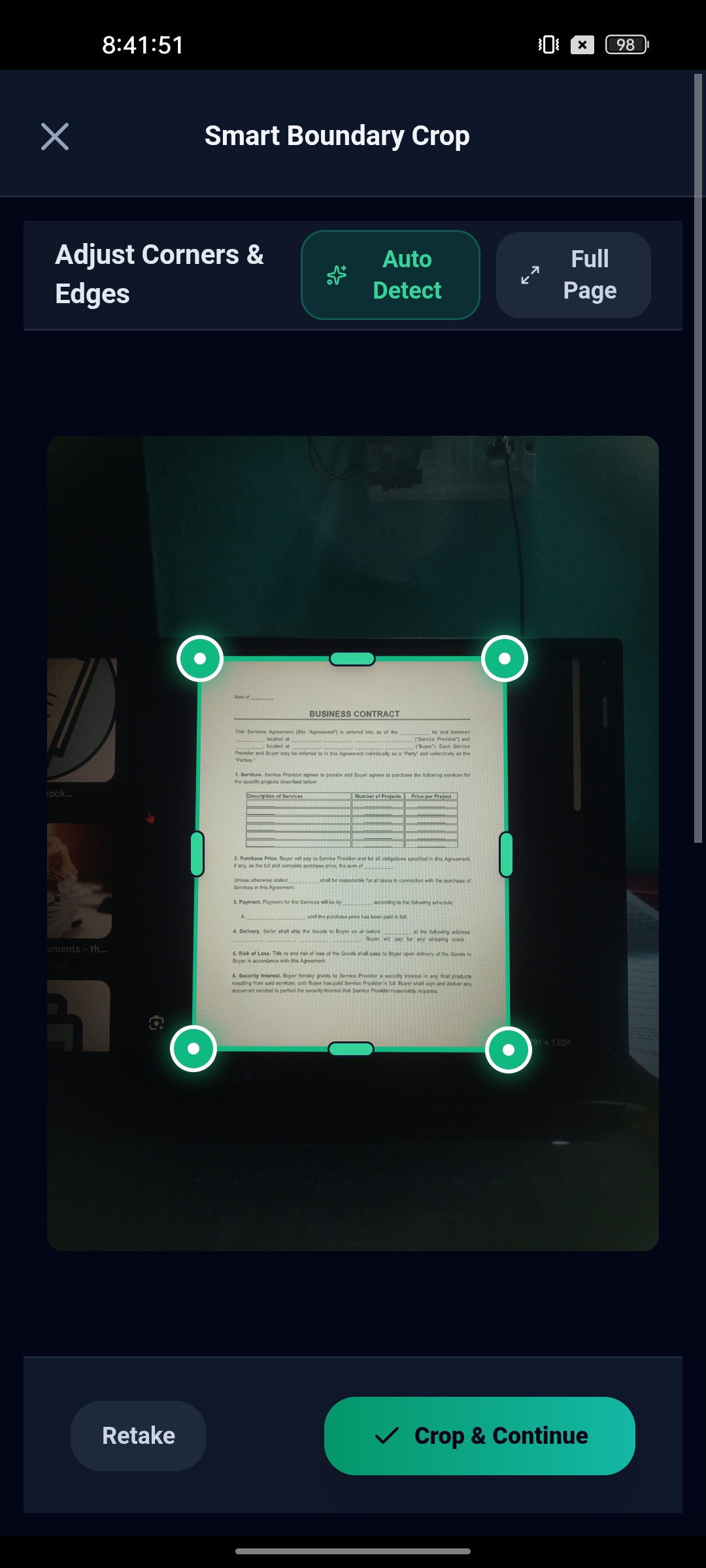
Smart AI Camera Scanner: Powered by on-device TensorFlow Lite, DocDoc analyzes document corners and boundaries in real-time, corrects perspective distortions, eliminates shadows, and offers professional filters (Clean Doc, Grayscale, B&W Text, and Auto Enhance) with batch scanning support.
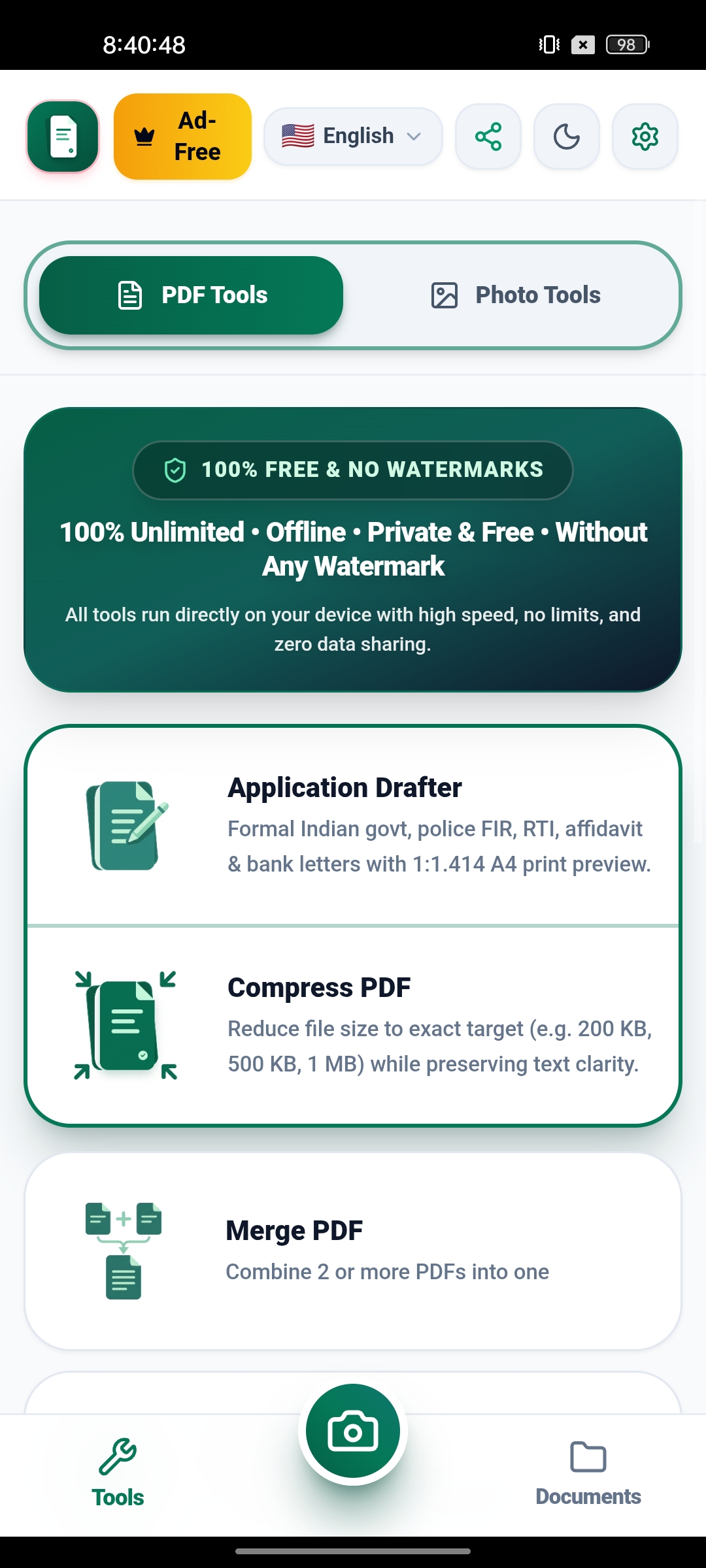
High-Precision PDF Tools Hub: Compress PDFs to exact target sizes (e.g. 200 KB, 500 KB, 1 MB) for government job applications and portal uploads while preserving crystal-clear text readability. Merge multiple PDFs, split documents, reorganize/rotate/delete pages, protect files with 128-bit password encryption, and convert seamlessly between PDF and high-resolution images.
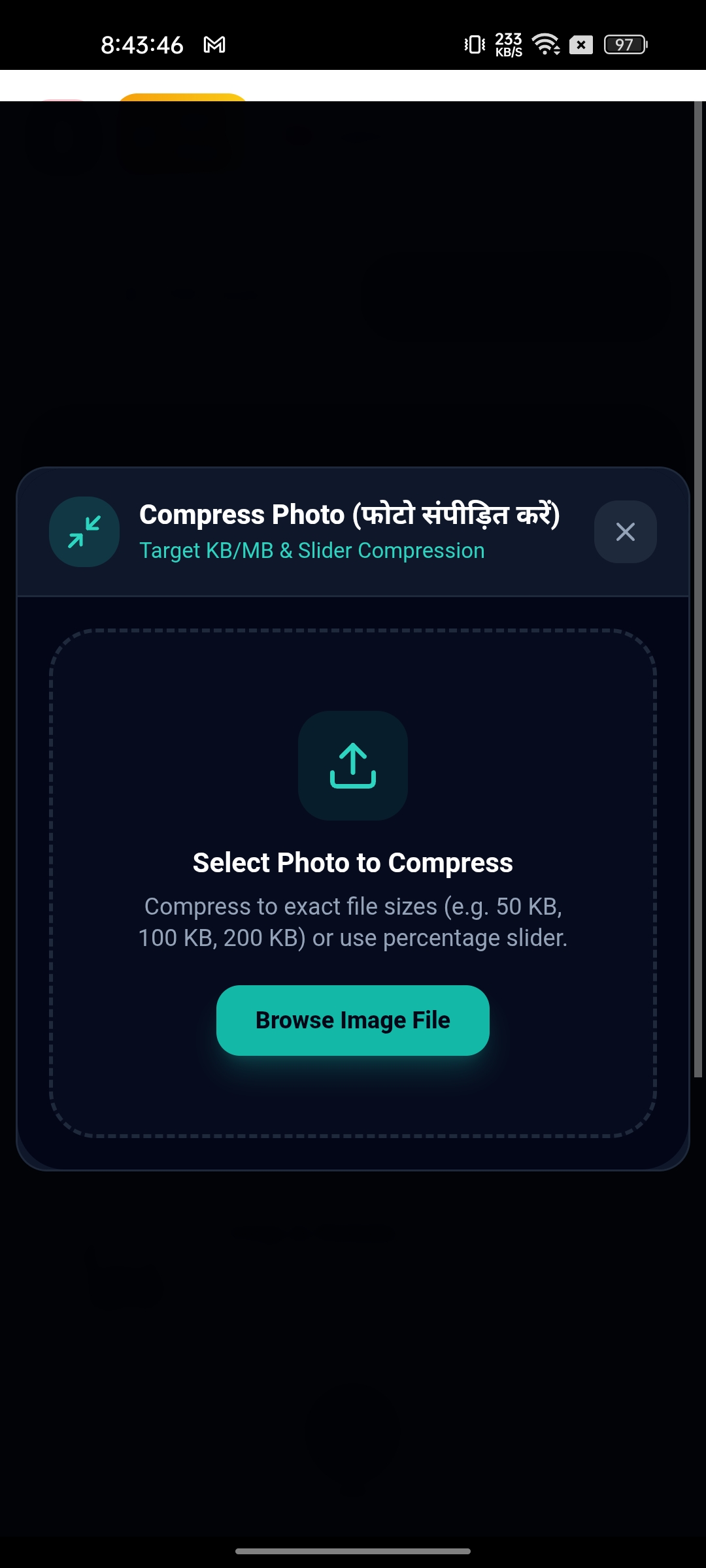
Photo Tools & Dual-Sided ID Scanner: Compress photos to exact target sizes (50 KB, 100 KB), create grid collages and panoramic merges (up to 10 photos), crop to standard aspect ratios (A4, 1:1, 4:3, 16:9), and scan both sides of ID cards onto a single print-ready sheet.
Formal Application & Letter Drafter: Built-in ready-to-use formal formats for Indian government, police complaints / FIR, RTI applications, affidavits, bank requests, leave, and resignation letters with true 1:1.414 A4 print preview, letterheads, and instant export to PDF, Word (.docx), or JPG.
100% Private & No Watermarks: All document scanning, OCR, and PDF processing run locally on your phone without cloud uploads. Your sensitive paperwork never leaves your device.
Request Account & Personal Data Deletion
We respect your complete ownership of your data. If you wish to delete your account, purge synced cloud records, or erase all personal data associated with DocDoc: AI Document Scanner, PDF Tools & Drafter, you can submit a deletion request directly to our developer team at any time.
How to submit your deletion request (Quick & Simple):
atish2k22@gmail.com
Our official support & privacy inbox.
• App Name: DocDoc: AI Document Scanner, PDF Tools & Drafter
• Your Registered Email or Phone Number used in the app
All cloud backups and records permanently erased within 30 days. You receive a confirmation email.
App Screenshots & Preview
Core Features & Highlights
Real-time camera edge and corner analysis powered by on-device AI and computer vision with perspective correction and shadow removal.
Compress PDF files to exact target sizes (e.g., 200 KB, 500 KB, 1 MB) for online portal uploads without losing readability.
Merge 2 or more PDFs, split documents, reorder/delete pages, protect with 128-bit password encryption, and convert PDF to/from images.
Ready-to-use templates for Indian govt, police FIR, RTI, affidavits, and bank requests with A4 print preview and Word/PDF export.
Scan front and back of IDs onto a single sheet, compress photos to 50KB/100KB, create grid collages, and crop to standard aspect ratios.
Extract editable text from scanned pages and images using embedded OCR with zero cloud dependencies.
All processing runs entirely on-device using local IndexedDB storage. Zero cloud document transmission and no watermarks.
Export clean, watermark-free PDFs and share directly via WhatsApp, Gmail, Google Drive, or system print sheet.
What's New in Recent Updates
- Optimized GPU canvas rendering pipeline to prevent memory spikes and screen tearing.
- Enhanced Ad First Share Sheet flow for seamless AdMob interstitial delivery.
- Updated viral referral program with permanent hardware anti-cheat protection (+5 Days Ad-Free).
- Improved multi-strategy AI edge detector with sub-second corner alignment.
- Initial release ready for Google Play Store publication.
- AI-powered document boundary auto-detection with TensorFlow Lite.
- Exact target PDF & Photo compression (200 KB, 500 KB, 1 MB).
- Full PDF Toolbox: Merge, Split, Compress, Organize, and 128-bit Password Protect.
- Application & Letter Drafter with formal Indian govt, bank, and legal formats.
- Dual-sided ID Card and Passport Photo creator.
- On-device OCR text extraction engine with multi-language support.
Privacy Policy for DocDoc: AI Document Scanner, PDF Tools & Drafter
Package Name: com.docdoc.pdfscanner • Developer: Pro Coders Mobile Studio
This Privacy Policy applies to the mobile application DocDoc: AI Document Scanner, PDF Tools & Drafter ("Application") developed by Pro Coders Mobile Studio ("we", "our", or "us") and distributed via the Google Play Store under package name com.docdoc.pdfscanner.
1. Information Collection and Use
Depending on features utilized, the Application processes the following categories of data:
- Diagnostic and performance data: Non-identifying crash telemetry and app performance logs provided via Google Play Services to ensure crash-free operation.
- Advertising identifiers: Google Play Advertising ID (com.google.android.gms.permission.AD_ID) managed securely through Google AdMob for personalized and non-personalized advertising and fraud prevention.
- Anti-Fraud Referral Identifier: A cryptographically one-way hashed device identifier derived from Settings.Secure.ANDROID_ID, used exclusively to prevent duplicate claims in the viral referral program (+5 Days Ad-Free experience). This hash cannot be reverse-engineered and is NEVER shared with advertising networks.
- 100% LOCAL-ONLY ZERO-KNOWLEDGE GUARANTEE: Your scanned documents, camera captures, imported photos, drafted letters, and extracted OCR text are processed and stored strictly on your local device storage (IndexedDB / app sandbox). Pro Coders operates ZERO cloud document storage servers and NEVER transmits, inspects, or uploads your personal paperwork.
2. Android System Permissions
Required to capture physical documents, receipts, book pages, and ID cards via your device camera for real-time edge detection and perspective correction.
Allows toggling your camera torch for clear document illumination in low-light scanning environments.
Required exclusively on Android 12 and below (API <= 32) to import existing documents and images from device storage. Not requested on Android 13+.
Required exclusively on Android 12 and below (API <= 32) to save and export generated PDF files to your device storage. Not requested on Android 13+.
Used exclusively to serve Google AdMob advertisements and verify anonymous viral referral ad-free rewards.
Absolute Document Confidentiality & Zero Cloud Storage
DocDoc is built upon an offline-first, zero-knowledge architecture. When you scan tax forms, medical records, invoices, IDs, or legal contracts, those files are saved into your device's isolated application sandbox using IndexedDB and Android FileProvider. At no point are your files uploaded to Pro Coders or any third party.
Photo Picker & Privacy on Android 13+
On Android 13 and above (API level 33+), DocDoc utilizes the secure Android system Photo Picker. This ensures that the app only receives access to the specific images you explicitly choose to import, without requiring broad media access permissions (READ_MEDIA_IMAGES).
Advertising ID & Monetization Transparency
DocDoc is 100% free to use with zero watermarks. To support ongoing maintenance, the app integrates Google AdMob. AdMob may process the Google Play Advertising ID (AD_ID) and approximate device telemetry in compliance with Google Play Developer Program Policies. Users can earn an Ad-Free experience through the built-in referral program without paying any money.
3. Third-Party SDKs & Services
4. Children's Privacy (COPPA & Play Families Policy)
DocDoc is an offline-first productivity tool designed for general audiences and is rated Everyone. We do not knowingly collect personal information from children under the age of 13.
5. User Data & Account Deletion Requests
To request complete account deletion, cloud backup erasure, or inquire about our privacy standards, send an email to our official privacy inbox at: atish2k22@gmail.com.
Please provide your App Name (DocDoc: AI Document Scanner, PDF Tools & Drafter) and your registered email address or phone number used within the app. All associated records and cloud backups will be permanently purged within 30 days.
Third-party advertising, Fraud prevention & security
Analytics & app stability via Google Play
Core app functionality. NOT collected or transmitted to any server.
Direct links required by Google Play Console during app submission and annual verification reviews:
Want to permanently delete your account, saved habits, documents, or backups for DocDoc: AI Document Scanner, PDF Tools & Drafter?
Application Specifications
Declared Permissions
- android.permission.CAMERA
Required to capture physical documents, receipts, book pages, and ID cards via your device camera for real-time edge detection and perspective correction.
- android.permission.FLASHLIGHT
Allows toggling your camera torch for clear document illumination in low-light scanning environments.
- android.permission.READ_EXTERNAL_STORAGE
Required exclusively on Android 12 and below (API <= 32) to import existing documents and images from device storage. Not requested on Android 13+.
- android.permission.WRITE_EXTERNAL_STORAGE
Required exclusively on Android 12 and below (API <= 32) to save and export generated PDF files to your device storage. Not requested on Android 13+.
- android.permission.INTERNET
Used exclusively to serve Google AdMob advertisements and verify anonymous viral referral ad-free rewards.